How to Deploy an Application
This guide walks through the complete process of deploying a containerized application to the Strongly platform.
Prerequisites
Before deploying, ensure you have:
- Your application code: an archive, a GitHub repository, or a folder of a project volume's code (what you write in a workspace)
- A
strongly.manifest.yamlat the top of that code (see the manifest) - Optional: a
Dockerfilebeside it (without one, the platform generates one for the app type in your manifest) - Optional: a
.envfile for environment variables (archive uploads)
Step 1: Navigate to Apps
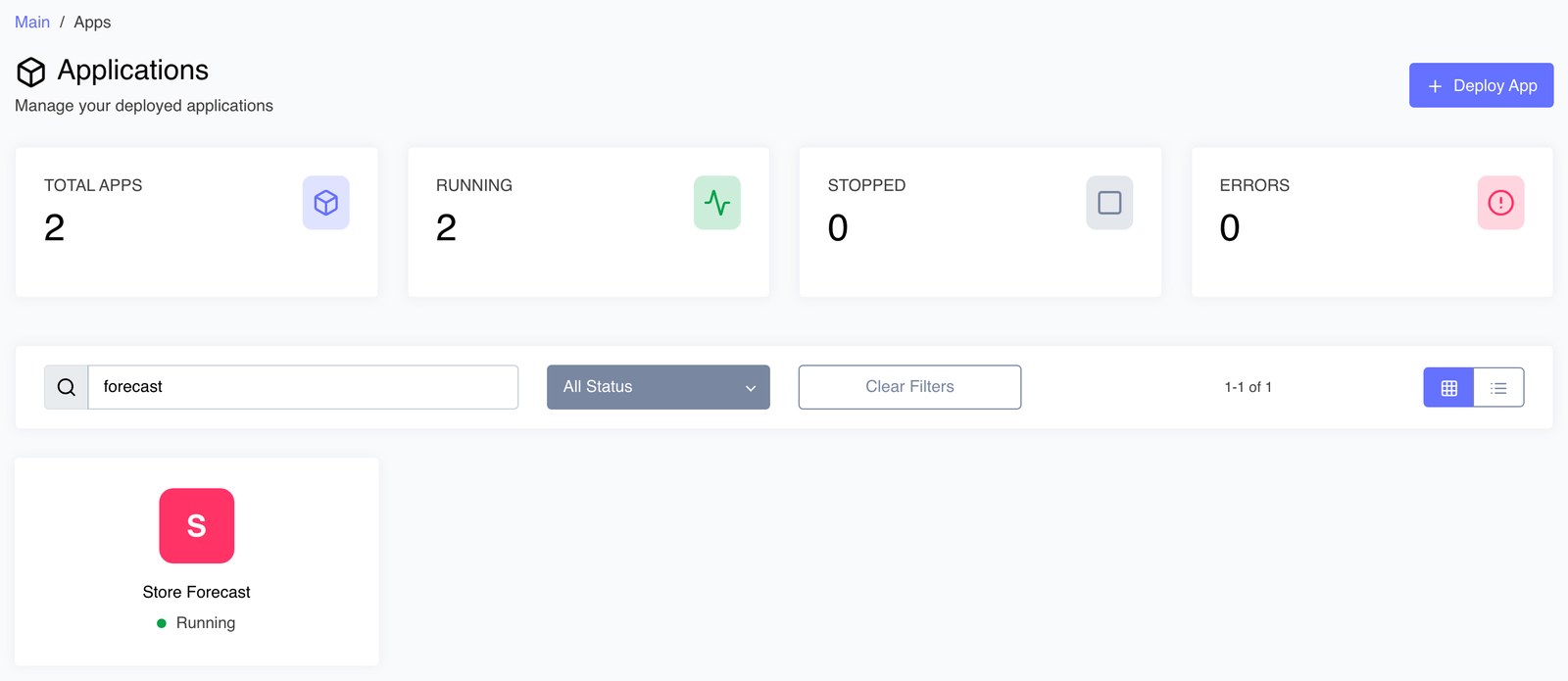
- Click Apps in the main navigation
- Click the Deploy App button
Step 2: Configure Your App
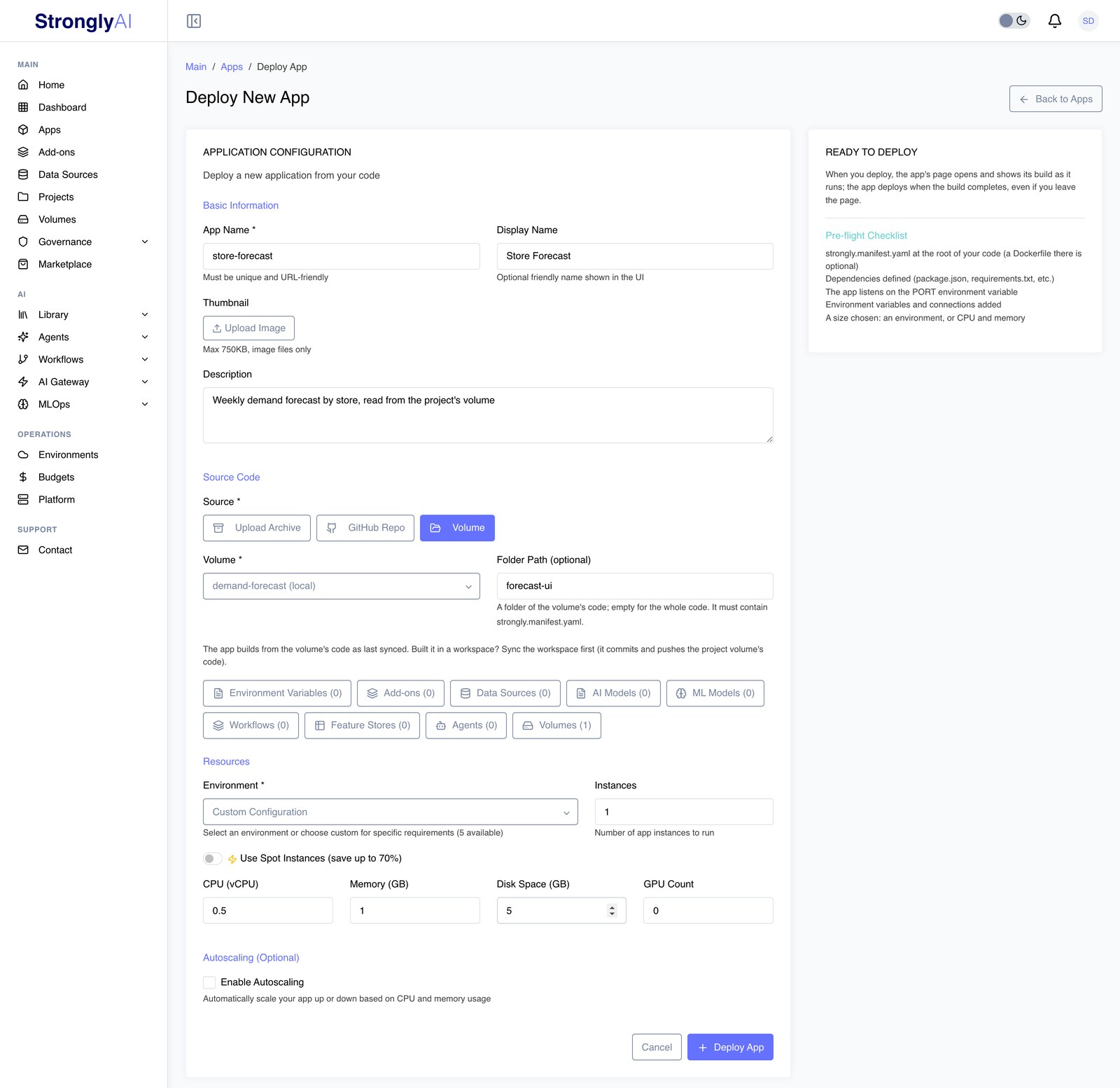
Basic Information
Provide essential metadata about your application:
- App Name (required): Unique identifier (lowercase, alphanumeric, hyphens only; must be URL-friendly)
- Display Name: Optional friendly name shown in the UI
- Thumbnail: Optional image (max 750KB) shown on the app card
- Description: Brief description of your app
App names must be lowercase and can only contain alphanumeric characters and hyphens. No spaces or special characters.
Source Code
Choose one of three Source Types:
-
Upload Archive: Upload a ZIP or TAR archive of your application code (
.zip,.tar,.tar.gz,.tgz; maximum file size 100MB). The archive must contain astrongly.manifest.yamlin its root; aDockerfilethere is optional (without one, the platform generates one for the app type in your manifest). Optionally include a.envfile for environment variables. -
GitHub Repo: Provide an SSH repository URL, branch, and an SSH key from your profile integrations; optionally a subdirectory within the repo.
-
Volume: Deploy a folder of a volume's code that contains a
strongly.manifest.yaml. Choose a project's volume you can use whose code is kept on the Strongly filesystem (a shared volume has code to build only when it began as a project's volume; a volume whose code is a GitHub repository deploys with GitHub Repo instead, from that repository) and optionally the folder (empty means the whole code). The build uses the code as last synced. This is the easy path for an app you built in a workspace: the workspace mounts the project volume's code at/volumes/local/<volume name>/code, and Sync on the workspace page (orgit pushfrom its terminal) saves your changes to the volume. Sync first, then deploy.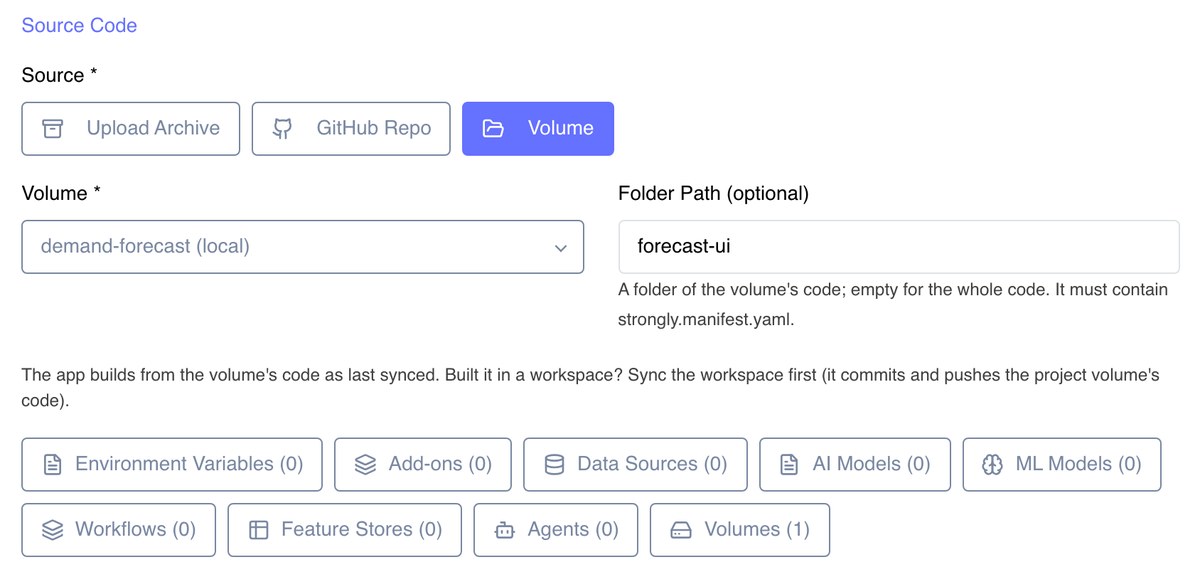
Ensure your manifest (and your Dockerfile, if you ship one) is at the root of what you deploy: the archive, the repository subdirectory or the project folder, not in a folder below it.
Connect Services (Optional)
Below the source section, attach platform services to your app. All connections are injected at runtime via the STRONGLY_SERVICES environment variable:
- Environment Variables: Key-value pairs available to your app at runtime
- Add-ons: Managed database instances (MongoDB, PostgreSQL, Redis, and others) -- connection strings injected automatically
- Data Sources: External databases and storage -- credentials encrypted and injected at runtime
- AI Models: Models from the AI Gateway -- endpoints and configuration provided automatically, usage tracked through the platform
- ML Models: Models from your model registry that are running, or deployed on demand (they start on the first call) -- each with the address that returns its predictions
- Workflows: Deployed workflows with a REST API or webhook trigger that your app can call
- Feature Stores: Feature stores your app can read features from
- Agents: Deployed agents (streaming workflows) your app can talk to
Volumes (Optional)
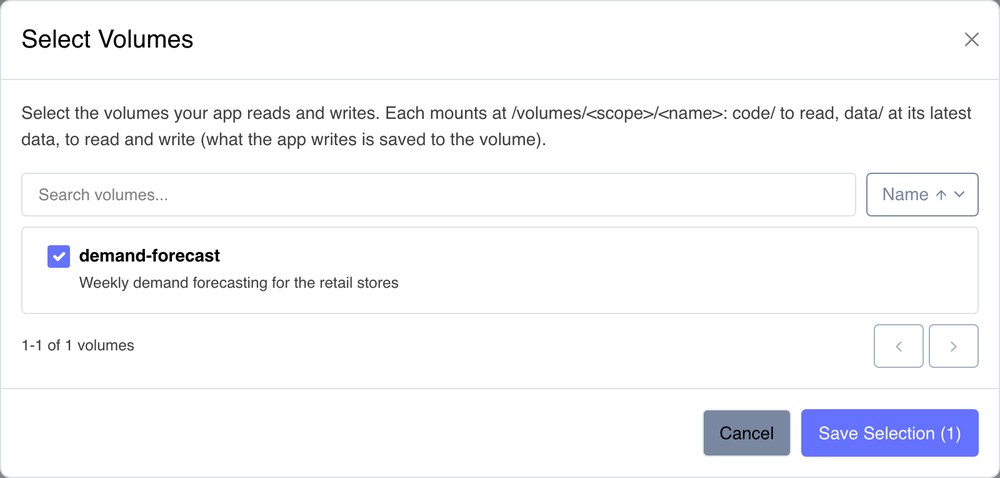
Click Volumes, with the services above, to pick the volumes your app works with. Volumes are picked like services but are not in STRONGLY_SERVICES: each one is mounted into the app. You can pick your own volumes (a project's volume included) and the volumes shared with you. A project's volume that you have not shared mounts in the app at /volumes/local/<name>; every shared volume, your own included, mounts at /volumes/shared/<name>:
| Folder | What the app can do |
|---|---|
code/ | Read it. The volume's code as last synced. A volume created as shared has no code/; a project's volume that is shared, or kept after its project was deleted, keeps its code. |
data/ | Read and write. It opens at the latest version of each file. Every file the app writes is saved to the volume as a new version of that file, shortly after the app closes it, and anything left when the app stops is saved then. |
An app sees the latest data, never an older version, as a job run does. Its volumes are kept on the app's disk, so an app with volumes needs one: choose Custom Configuration under Environment and set Disk Space, or an environment that has a disk. The standard Small, Medium and Large environments have none, and the form says so if you pick volumes with one of them. The app's Settings tab lists its volumes with its services. A volume no longer shared with the app's owner is refused at the next deploy, naming it.
Resources
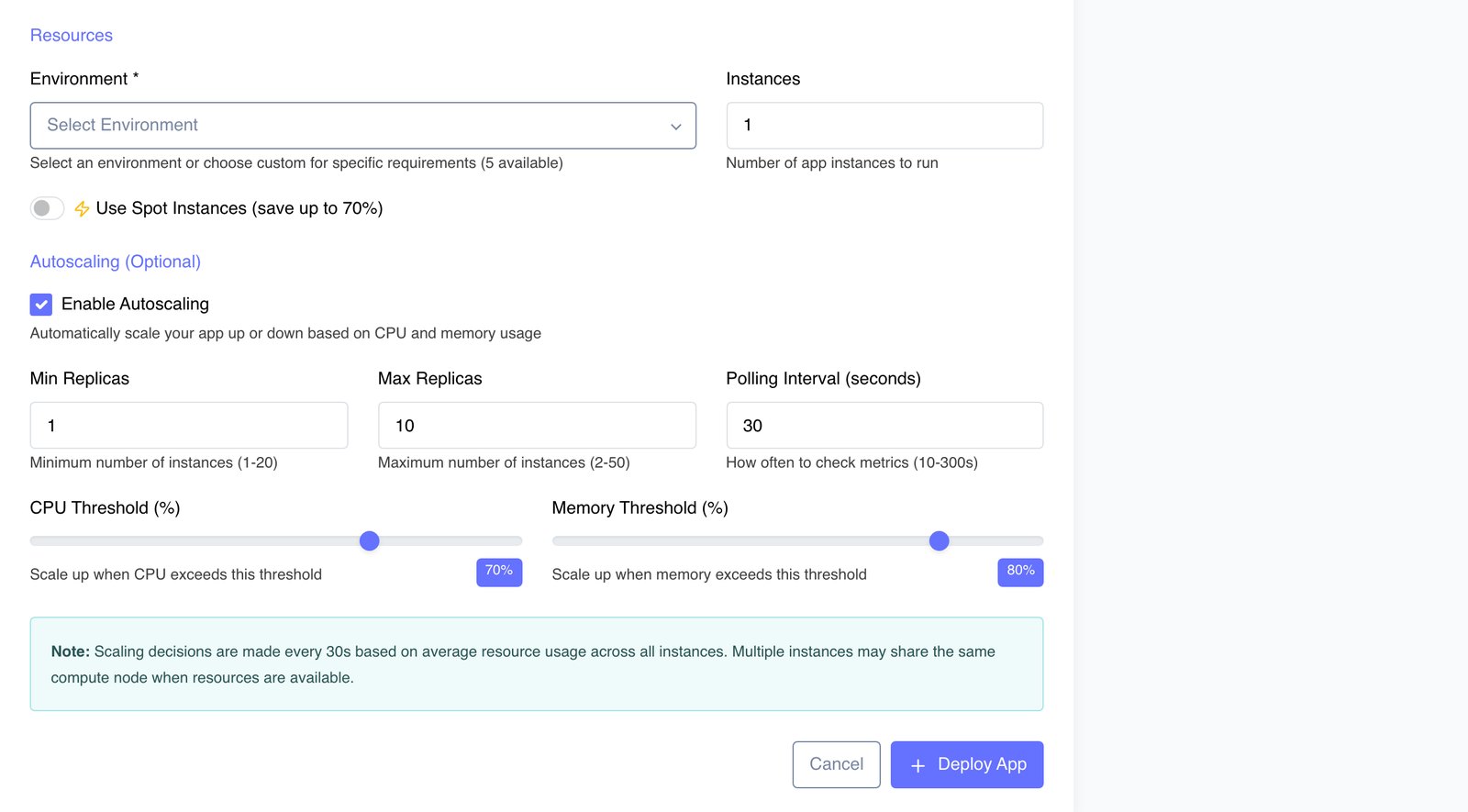
- Environment (required): Pick a predefined environment (a named CPU/memory configuration managed by your administrators), or Custom Configuration and type the CPU and memory (both required) plus optional disk and GPU. The app runs at exactly this size; nothing is filled in for you. A deploy or restart of an app without a size is refused with a message naming what is missing. You can set or change an app's size later from the Size card on its Overview tab; it applies on the next deploy or restart.
- Instances: Number of app instances to run (1-10), each at the size above
- Use Spot Instances: Optional toggle that runs your app on spot capacity, saving up to 70% for interruption-tolerant workloads. Once it is on, Fall back to on-demand when spot capacity is unavailable (checked by default) runs it on on-demand capacity when no spot is available; unchecked, it waits for spot. You can change it later under Capacity on the Size card (Overview tab); it applies on the next deploy, start or restart. A marketplace deploy offers the same setting on its App Resources step. See Spot Instances
GPU support: For compute-intensive workloads, choose a GPU environment, or Custom Configuration with a GPU count and type.
Autoscaling (Optional)
Check Enable Autoscaling to scale automatically based on CPU and memory usage:
- Min Replicas (1-20, default 1) and Max Replicas (2-50, default 10)
- Polling Interval (10-300 seconds, default 30)
- CPU Threshold (default 70%) and Memory Threshold (default 80%) -- scale up when usage exceeds the threshold
Scaling decisions are made every polling interval based on average resource usage across all instances. See Auto-Scaling Configuration for details.
Step 3: Deploy & Monitor
- Review Configuration: Check all settings before deployment
- Click Deploy App: The build starts, and the app deploys when the build completes (also if you leave the page)
- Monitor Build: Watch build progress and logs stream in real time
- Access App: Once deployed, click View App on the app details page
Build Process
The platform automatically:
- Takes your code: the uploaded archive, the repository branch, or the volume's code as last synced
- Builds a container image from your Dockerfile (or the one generated for your app type) in an isolated build environment
- Stores the image in the platform's private container registry
- Deploys the app with your configured resources and instance count
- Injects environment variables and service connections (including
STRONGLY_SERVICES) - Starts health checks
Build progress and logs stream live on the page while the build runs.
A build runs until it succeeds or fails. Multi-stage builds and a small build context keep builds fast.
Build Status Flow
Builds progress through the following statuses:
pending -> building -> completed
                    -> failed (the build reported an error, or stopped without finishing)
App Management
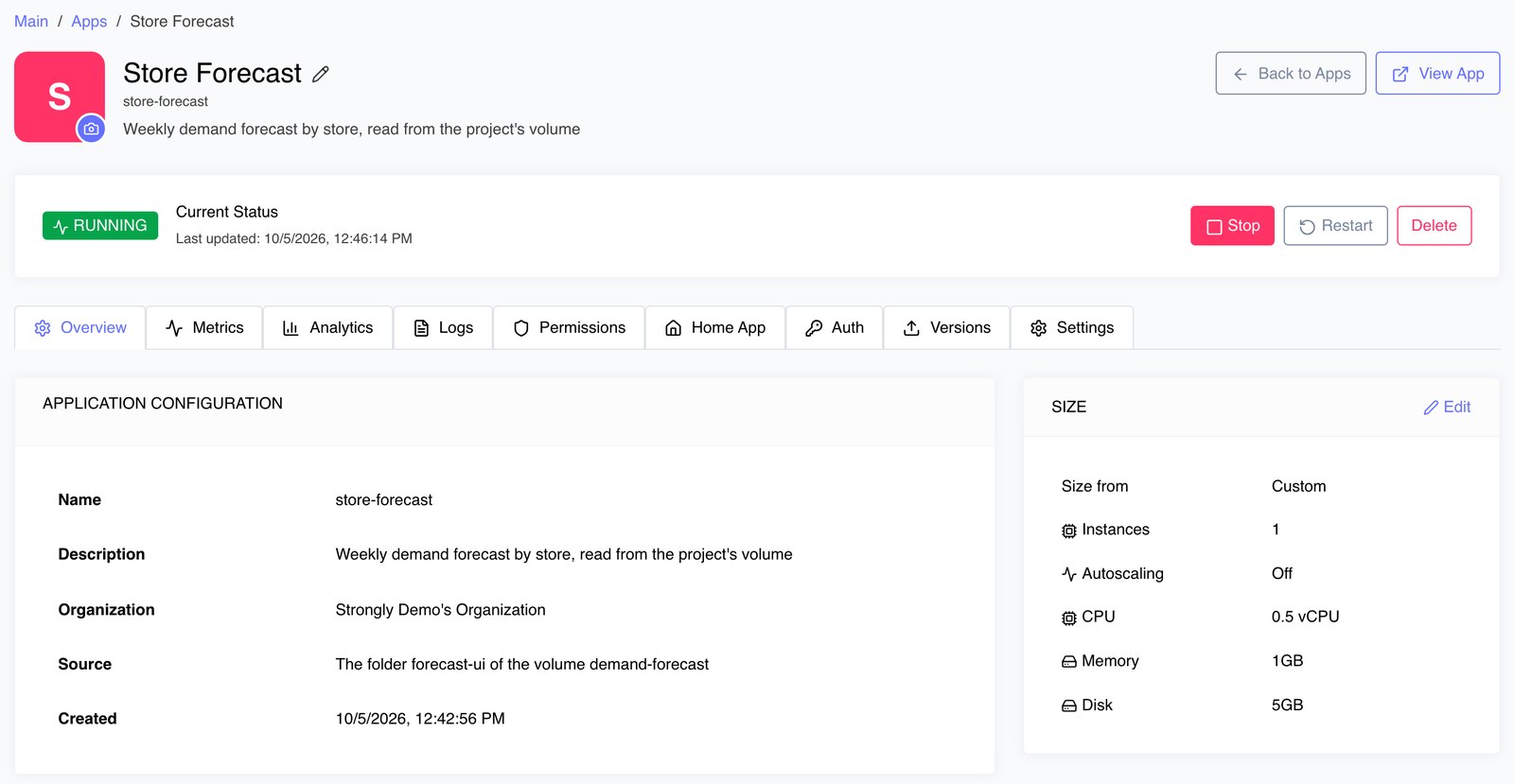
Open any app from the Apps page to reach its details page. Its tabs cover the full lifecycle: Overview, Metrics, Analytics, Logs, Permissions, Home App, Auth (the app's own branded sign-in and sign-up), Versions, and Settings.
Start/Stop/Restart
The status bar at the top of the details page shows the current status (Running, Stopped, Error) and the lifecycle controls:
- Stop: Stop a running application
- Restart: Roll the application onto its current configuration with no downtime: the running version keeps serving until the restarted one is ready
- Delete: Permanently remove the application
- View App: Open the running application in a new tab
After a platform update, a running app is restarted on the new version for you. If that restart is refused for the user who deployed it (no access, an exhausted budget, a governance gate), the app shows Restart needed until it is restarted. See Platform Updates.
New Versions
The Versions tab ships new code to the app. Every configuration setting is kept: environment variables, connected add-ons and data sources, AI models, size and the generated STRONGLY_SERVICES. The new version deploys when its build completes.
Under New version, choose the Source (Upload Archive, GitHub Repo, or Volume; it starts as the app's current source) and click Build & deploy new version:
- Volume or GitHub Repo: builds from that source as it is now (the volume's code as last synced, so sync the workspace first; or the latest commit on the branch).
- Upload Archive: upload an archive of the new code. The app's source is then that upload.
You can leave the page while the build runs; the new version deploys when its build completes.
The status bar says why an app is in error: the reason the latest build failed, or why the latest deploy did not complete (the previous version keeps serving when one is still running).
Update Configuration
On the app's page you can change its environment variables (Settings) and its size (Size card on Overview). Its connected services and volumes are changed through the Apps API or by asking STAN.
An environment variable change rolls out as soon as it is saved. A size, service or volume change applies the next time the app is deployed, started or restarted. Each rollout starts the new version and switches over once it is ready, so the app keeps serving throughout.
View Logs & Metrics
Monitor your application from the Metrics and Logs tabs:
- Metrics: CPU, memory, and disk usage against allocation, plus network I/O, with an auto-refresh toggle
- Logs: Three views -- Build Logs, Deployment Logs, and Runtime Logs -- with search, auto-refresh, and download. Deployment Logs shows the steps recorded while the app deployed and how many of its instances are ready out of how many are wanted
See Logs, Metrics & Monitoring for details.
Common Deployment Issues
Build Fails
- Check Dockerfile syntax
- Ensure all dependencies are accessible
- Verify build context includes all required files
- Check build logs for specific errors
Cannot connect to app builder service
If a deploy says Cannot connect to app builder service, the platform could not take the deploy just then. Wait a moment and deploy again; if it keeps happening, contact your administrator.
App Won't Start
- Verify health check endpoint is accessible
- Check application logs for startup errors
- Ensure environment variables are set correctly
- Verify port configuration matches manifest
Connection Issues
- Check your app parses the
STRONGLY_SERVICESenvironment variable (see STRONGLY_SERVICES) - Check the service is connected on the app (its Settings tab lists them) and running
- Check the app's Runtime Logs for the connection error