Agent Builder Wizard
The Agent Builder takes you from "I want an agent" to "the agent is running" in a few guided steps. Every field is editable later in Agent Settings -- the wizard is about getting a working baseline fast, not locking decisions in.
Open the wizard from Agents in the sidebar, then click Create Agent.
Choosing how to start
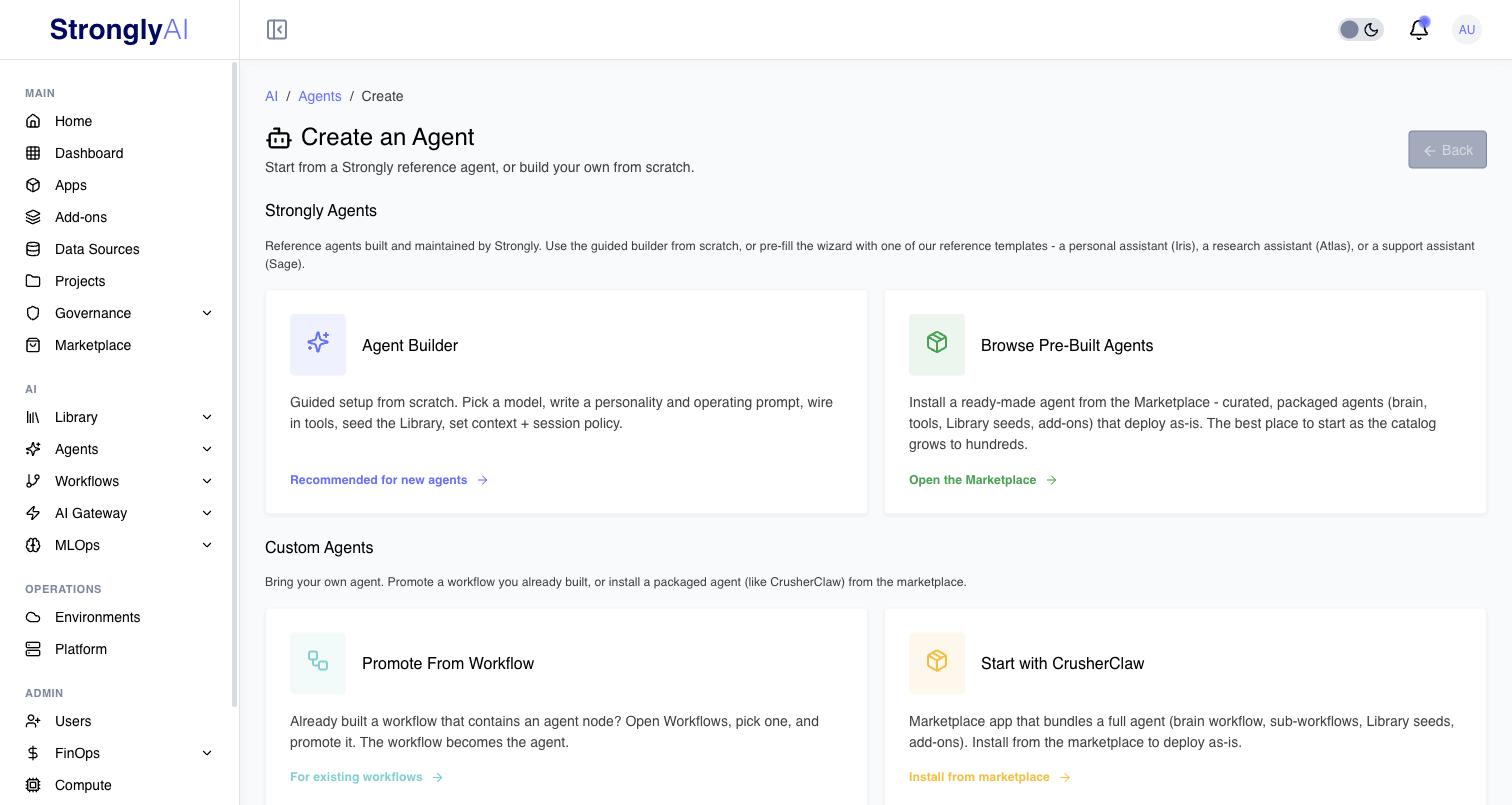
The Create an Agent page offers four starting points, grouped in two sections:
Strongly Agents -- reference agents built and maintained by Strongly. You can pre-fill the wizard with a reference template: a personal assistant (Iris), a research assistant (Atlas), or a support assistant (Sage).
- Agent Builder -- the guided flow described on this page. Recommended for new agents.
- Browse Pre-Built Agents -- install a ready-made, packaged agent (brain, tools, Library seeds, add-ons) from the Marketplace. It deploys as-is.
Custom Agents -- bring your own agent:
- Promote From Workflow -- you already built a workflow with an agent node; promoting it turns the workflow into the agent. See Promote a workflow.
- Marketplace agent bundles -- marketplace apps (such as CrusherClaw) that bundle a full agent with its brain workflow, sub-workflows, Library seeds, and add-ons.
Steps
The guided builder walks you through nine steps with a progress bar; every value can be changed later in Agent Settings.
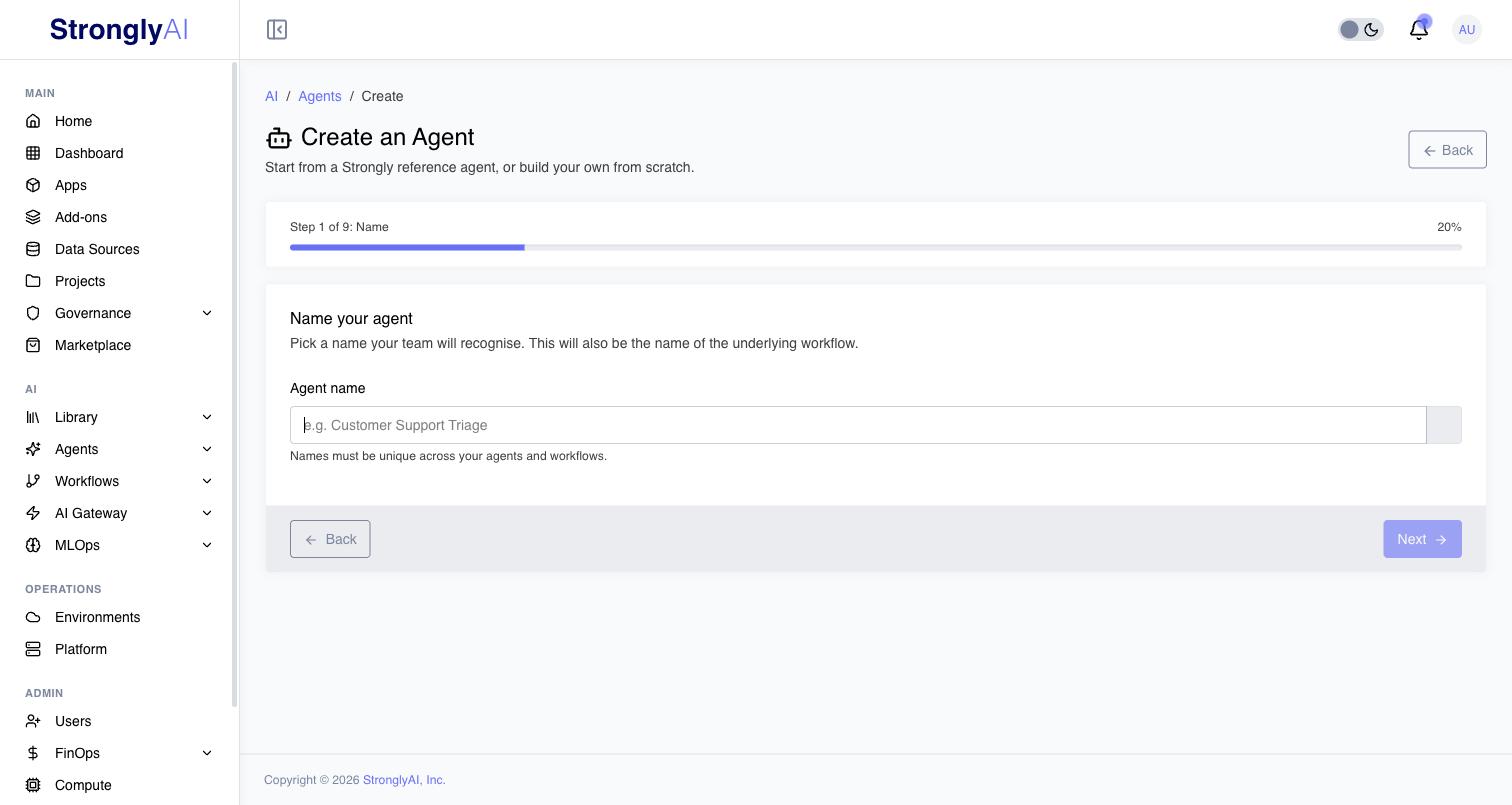
Name
Give the agent a unique name. The platform checks availability as you type.
Model
Pick the AI model that powers the agent. Models are grouped into Chat, Multimodal, and Reasoning tabs.
- Primary -- the model the agent uses by default. Required.
- Fallbacks -- optional ordered list. If the primary is unhealthy, the agent automatically falls back to the next one.
Pick a multimodal model if you want the agent to read images, screenshots, or PDFs.
Personality
A short paragraph describing the agent's voice, tone, and style. One or two sentences is enough. Examples:
"I'm a tax-and-compliance specialist with a dry sense of humour. I cite the section number, then explain it like a human."
"Warm greeting, fast escalation, no over-promising on timelines."
Leave blank to use the platform default.
Connect
Pick the tools and data sources the agent can reach -- web search, calculator, code interpreter, your data sources, your add-ons.
Web search uses the agent model's own search when it has one: OpenAI, Anthropic and Gemini models search with their vendor's search (see Web Search for the models). Any other model searches with Strongly's search through tool calling. A self-hosted model needs tool calling enabled in its catalog entry for web search (and for any tools); without it, the agent's requests are refused with the reason.
Every agent also has a web agent that browses in a real browser: it opens and reads pages, navigates sites and fills in forms. With web search on, the agent looks facts up with web search and uses the web agent when a task needs pages opened or worked through. Without web search, the web agent is how the agent reaches the web.
Train
Two parts:
Operating prompt -- the long-form instructions for how the agent should use its tools and memory. Three options:
- Use platform default -- sensible defaults that work for most agents.
- Pick from my Library -- re-use a prompt you've already authored in Library > Prompts.
- Author a new one -- write a prompt inline; saved to your Library so you can re-use it on future agents.
Library seeds -- starter content for the new agent. Tabs:
- Memory -- facts the agent starts knowing.
- Rules --
must,must-not, andshouldconstraints. - Skills -- reusable instruction packs.
- Tasks -- recurring or one-off agent work, including cron schedules.
Everything you seed is editable from the relevant Library page after the agent is deployed.
Imprints
Optionally install one or more Imprints -- named bundles of library items (skills, memories, rules, tasks, prompts, preferences, artifacts) the agent instantly learns. The agent reads them without copying, so updates to the imprint flow through to every agent that uses it.
Context Policy
How the agent fits long conversations into the model's context window. Pick:
- Window -- keep recent turns, drop older. Cheapest.
- Summarise -- rolling summary of older turns + verbatim recent tail. Balanced.
- Hierarchical -- tiered retention. Best recall, highest cost.
The token budget auto-fills based on the model you picked. See Context Management for guidance.
Session Policy
Lifecycle rules for chat sessions: idle timeout, max session duration, max concurrent sessions per user, auto-archive period. See Session Management.
Review
Full summary of every field. Edit anything before you click Create Agent.
What happens on submit
The platform creates the agent, provisions an add-on for each connector you picked that is one (memory, rules, skills and the other Library primitives need none: they are part of the platform), seeds your starter content, and lands you on the agent's settings page. From there click Start to bring the agent online.