Agents
A Strongly agent is a persistent AI assistant with its own memory, rules, and tools. You chat with it through the Strongly UI, your own apps, or the API. The platform handles deployment, lifecycle, and scale -- you focus on what the agent should do.
Two ways to build an agent
| Path | Best for |
|---|---|
| Agent Builder wizard | New agents authored from scratch. Pick a model, write a personality, wire in tools, seed starter content. |
| Promote from workflow | You already built a workflow with an agent node. Promote it to a deployable agent. |
Both paths produce the same kind of agent. The wizard is faster for new work; promotion is the right call when you have an existing workflow that already does what you want.
What you configure
| Setting | What it controls |
|---|---|
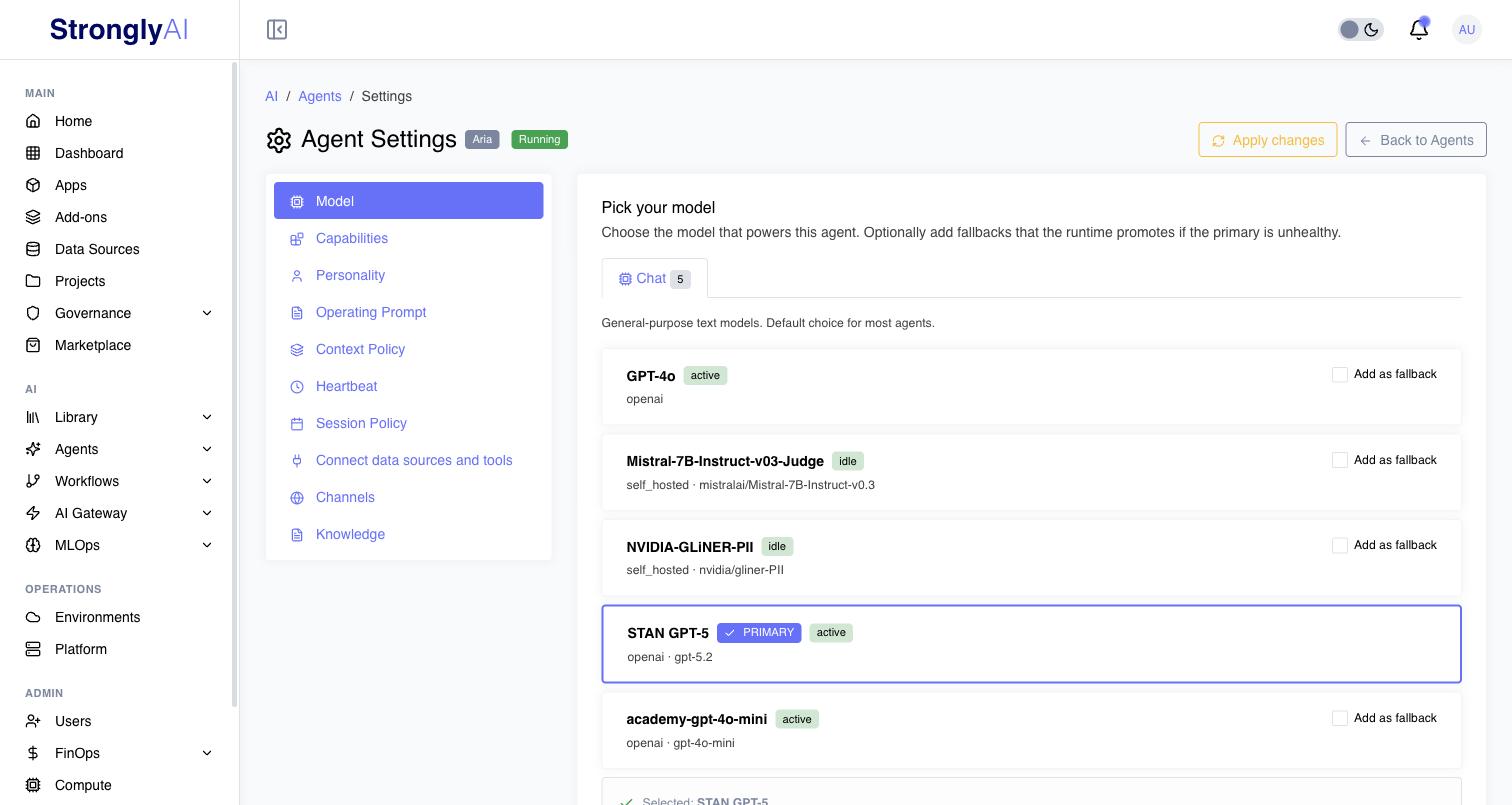
| Model | Which AI model powers the agent, plus optional fallbacks the runtime promotes if the primary is unhealthy. |
| Capabilities | What the agent is allowed to do. |
| Personality | The agent's voice, tone, and style. |
| Operating Prompt | The long-form instructions for how the agent should use its tools, memory, and rules. |
| Context Policy | How the agent fits long conversations into the model's context window. |
| Heartbeat | The agent's autonomous background loop: when enabled, it wakes on a cron schedule, in the timezone you pick (your own by default), and works its due heartbeat tasks. |
| Session Policy | Idle timeout, max session length, concurrent-session limits per user. |
| Connect data sources and tools | The data sources, add-ons, and tools the agent can reach, and the workflows and add-ons attached to it (see below). |
| Channels | Where the agent is reachable (for example a website embed). |
| Knowledge | The knowledge bases the agent answers from (created in Library > Knowledge), and shared pools the agent also reads. Click Apply changes so a running agent picks a change up. |
Each setting has its own section in Agent Settings once the agent is deployed -- open it from the gear icon on the agent's row. Memory, rules, skills, tasks, and preferences seeded in the wizard are editable at any time from the Library.
Attached workflows and add-ons
Besides its connectors, an agent can have workflows it calls as tools (attached when a workflow is promoted to an agent) and add-ons provisioned for it by the Agent Builder. They are listed under Attached workflows and add-ons in Agent Settings > Connect data sources and tools, each with its type and status.
While an agent lists a workflow or add-on, it is in use: deleting it is refused and the message names the agent. Click Remove next to it to take it off the agent. Nothing is deleted: the workflow or add-on stays where it is, and you can delete it afterwards from its own page. If the agent is running, click Apply changes so it restarts without it.
Reference templates
Three reference templates, built and maintained by Strongly, can pre-fill the wizard: Iris (personal assistant), Atlas (research assistant), and Sage (support assistant). Walk the wizard, review the pre-filled values, and edit anything before submit. Ready-made packaged agents are also available to install from the Marketplace.
Operating an agent
After deploy, each agent has its own page in the Strongly UI with:
- Chat -- talk to the agent.
- Sessions -- see who's chatting right now, end / pause / transfer sessions.
- Tasks, Threads, Logs -- agent activity and history.
- Settings -- change any setting from the build process. A running agent reads most settings when it starts: after you save one, Apply changes in the header stays highlighted, even if you leave the page and come back, until you click it to restart the agent on the new settings. It is off while a tab has unsaved edits: save the tab first, since a restart uses only saved settings. The session policy, and edits to the text of the agent's operating prompt, apply without it.
After a platform update a running agent is redeployed on the new version for you. If that is refused for the user who started it, Settings shows a restart warning until it is redeployed. See Platform Updates.